MatterAlert Release Notes - Version 2601.48.1
Summary
This release introduces new features, enhancements, and bug fixes to improve workflows and overall user experience.
- Team Capacity & Resource Dashboard
- Team Calendar
- Task Board (Planner View)
- Court Dockets and PACER integration using UniCourt
- Document Templates & Document Generation Enhancements
- Report Enhancement
- AI-Powered Enhancements
- Enhanced Color Palette & Outlook Category Sync
- Task and Event management Enhancement
- Other Enhancements
New Features & Enhancements:
Team Capacity & Resource Dashboard
- A powerful new dashboard that gives you instant visibility into your team’s workload, capacity, and upcoming risks—helping you stay ahead of deadlines and balance resources with confidence.
Available in Team Capacity and at Matter level
Flexible filtering by date range, team, and tags
Configurable workload calculation methods (Lead-only or split allocation)
High-level KPIs such as total capacity, overdue tasks, upcoming deadlines, and burn rate
Visual insights through workload charts, task status breakdowns, and risk scoring
Identification of over-utilized resources and at-risk tasks based on deadlines and completion status
Drill-down access to underlying tasks and events for quick reassignment and action
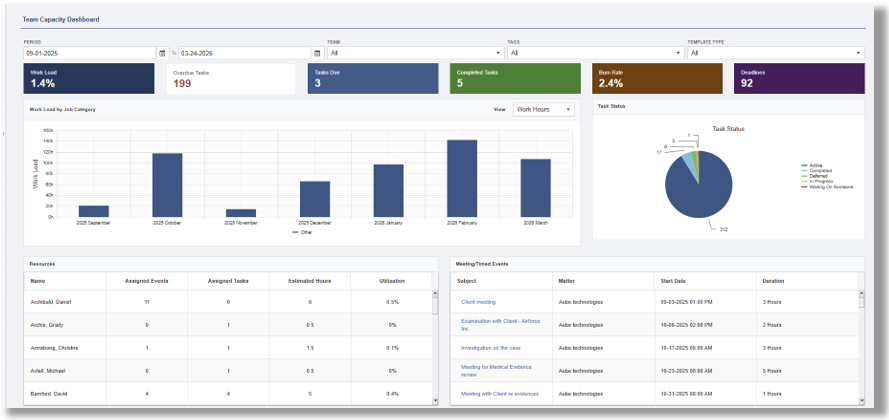
Intelligent aggregation of tasks and events into actionable insights.
This feature highlights who is over capacity, who has availability, and where attention is needed most.
Interactive charts and real-time metrics surface critical indicators such as overdue work, upcoming deadlines, and overall team utilization.
Designed for fast decision-making.
The Dashboard enables you to quickly drill into details, redistribute work, and keep your matters on track.
Improving efficiency, reducing bottlenecks, and ensuring better workload balance across your team.
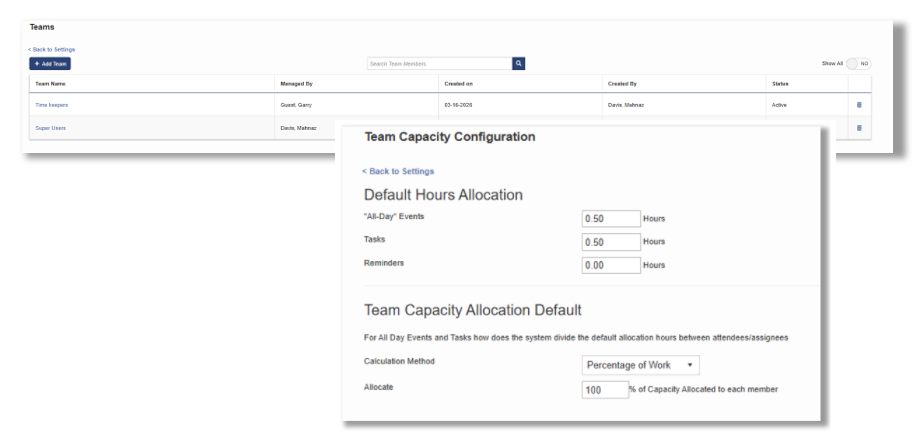
defining the teams
Central team and team Capacity configuration
Team Calendars
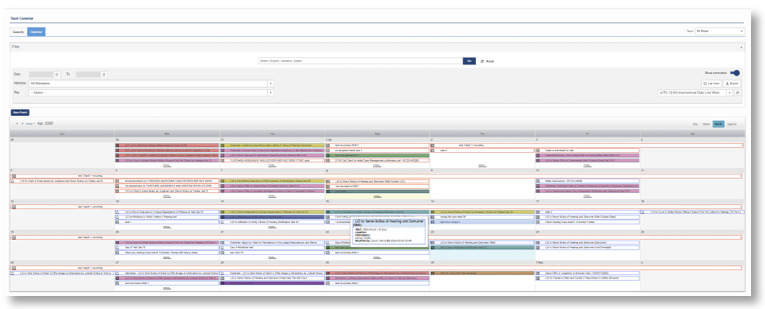
The My Teams Calendar provides a complete, at-a-glance view of your team’s schedule, enabling team leads and members to efficiently manage events and deadlines.
With full My Calendar and Matter Calendar functionality, users can easily track availability, identify scheduling conflicts, and plan resources effectively. The interactive calendar makes it simple to drill into specific events, update assignments, and ensure nothing slips through the cracks.
Task Board (Planner View)
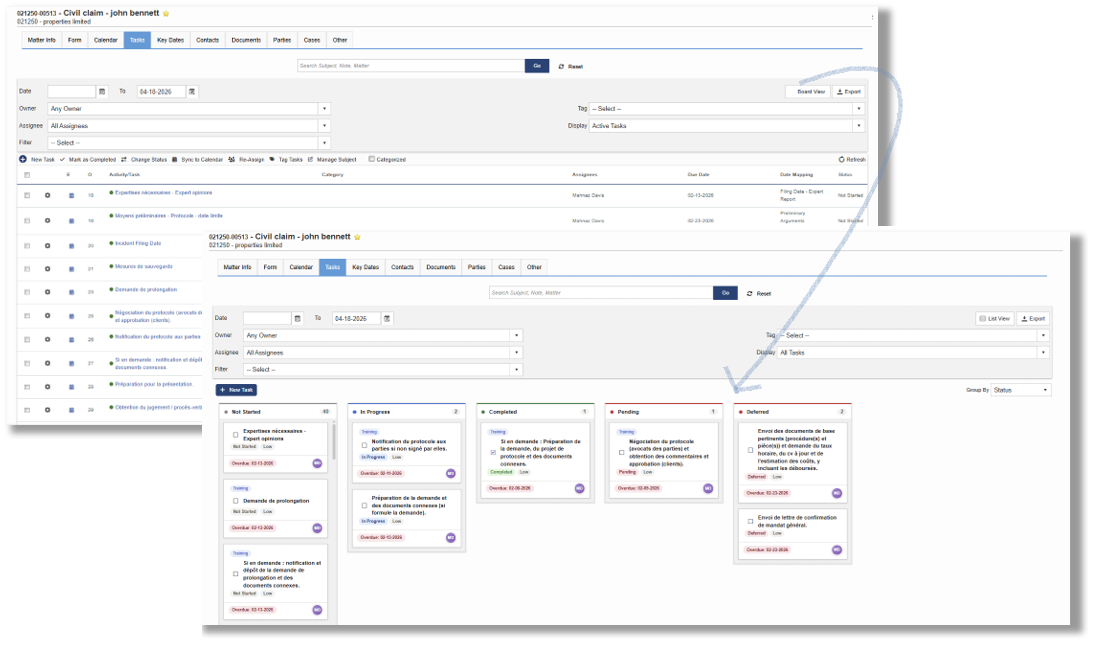
- A dynamic, visual task management experience that transforms how to organize and track work within your matters and personal task list.
Inspired by modern planner-style workflows, the Task Board displays tasks as interactive cards organized into customizable columns. You can instantly group tasks by status, assignee, category, tags, or due date—giving you a clear, flexible view of priorities and progress.
Each task card surfaces key details at a glance, including due date, assignees, and status, with quick actions to update completion. Built-in filtering and search make it easy to locate and manage tasks across large workloads.
Whether managing a matter or your personal queue, the Task Board provides a more intuitive and visual way to stay organized, focused, and in control of your work.
Court Dockets and PACER integration Using UniCourt Requires additional licensing.
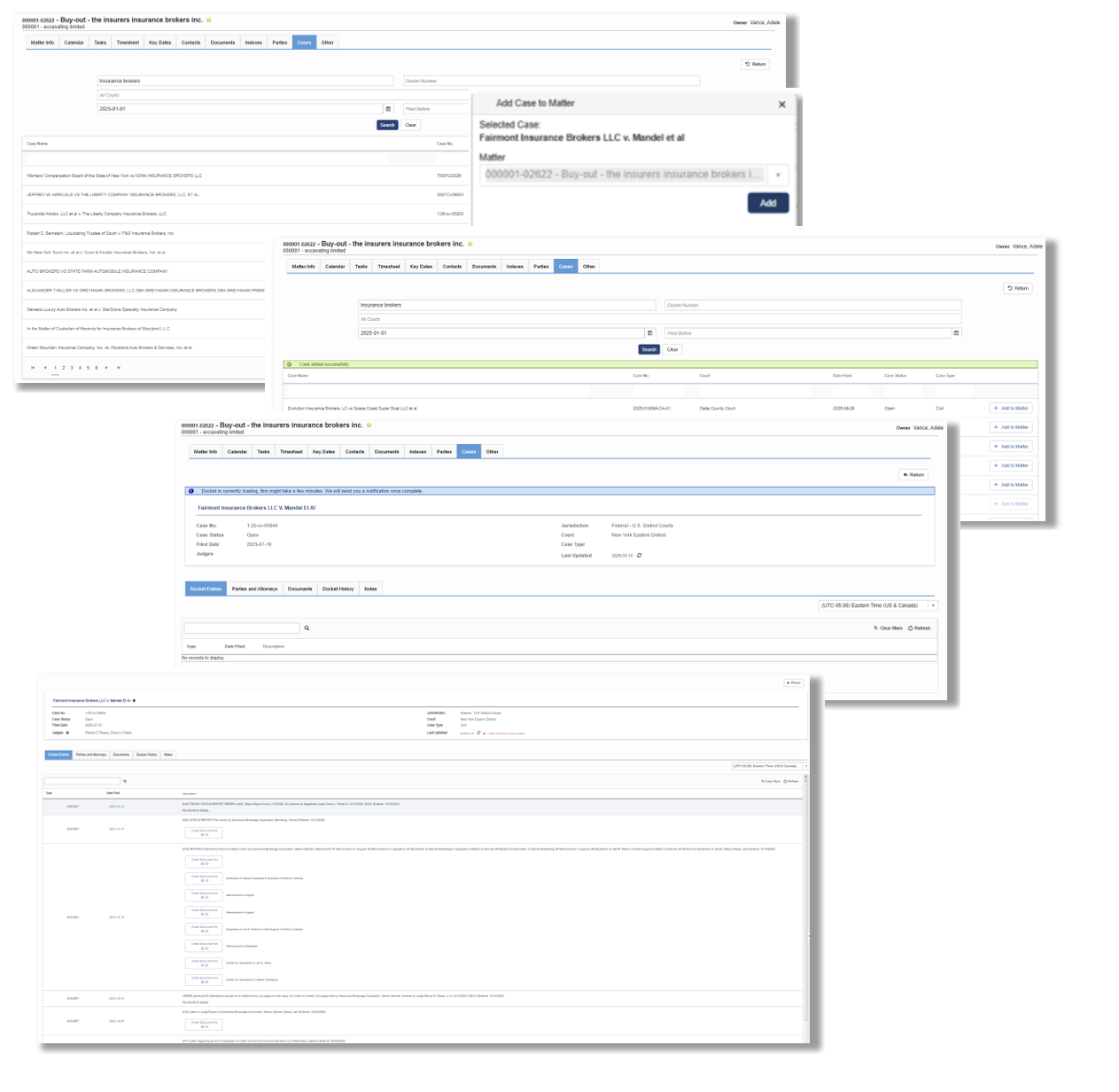
- Integration to UniCourt API to provide live Court Dockets within Matter Dashboard
Connect to 4,000+ state and federal courts across 40+ states, comprising over 2 billion dockets and documents, all with real-time access.
Delivers the gold standard in litigation data, powering innovation and informed decision-making.
- Download court documents right from MatterAlert (Using your own PACER account)
- Set up Docket Alert to receive email notification for any docket change
- Integration to netDocuments and iManage.
Document Templates & Document Generation Enhancements Requires additional licensing.
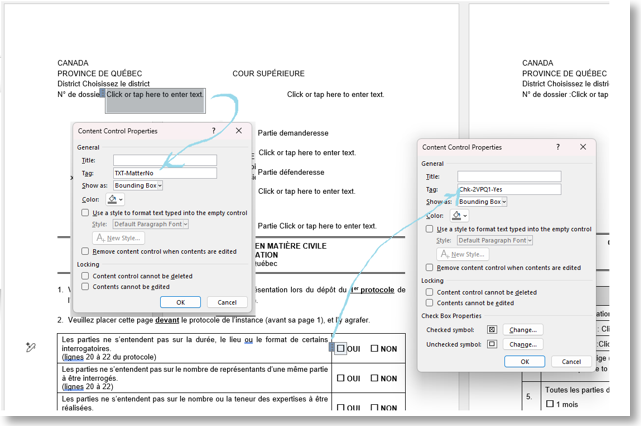
- Create documents instantly by uploading tagged templates that auto-fill with matter data.
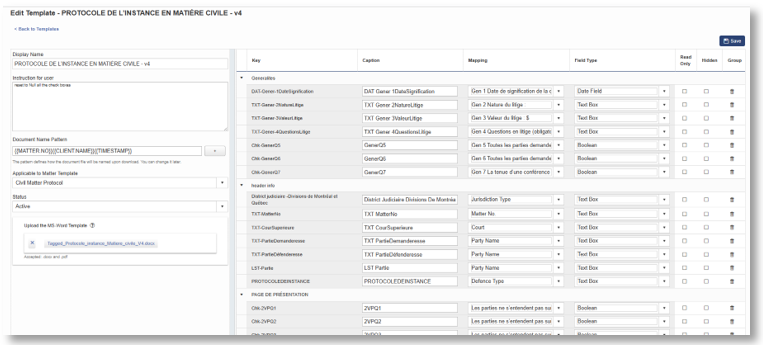
Save drafts, preview results, and generate polished documents with just a few clicks.Upload a tagged Word/PDF document and map the tags to MatterAlert fields (matter data or system attributes).
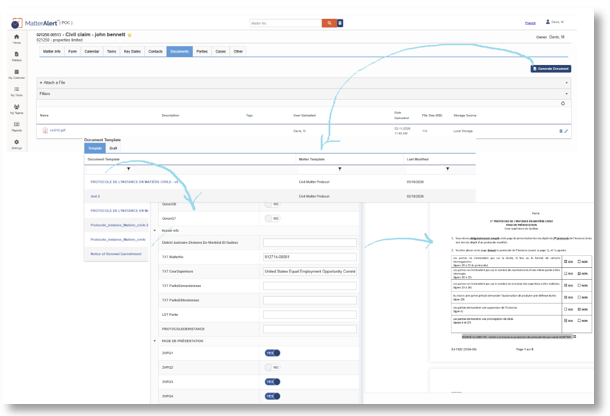
Generate documents directly from each matter, with the system auto-filling mapped fields.
Group related fields to keep the generation screen clean and avoid redundant information.
Select values from dropdowns where applicable, and the system will automatically populate all grouped fields.
enhancing the update to the original template, possibility to keep the data mapping to the first time document template setup and giving possibility to add and remove tags and make minor changes on the original doc without rebuilding the document
Report Enhancement
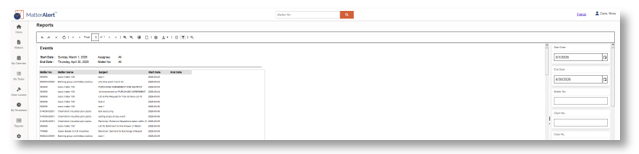
- Flexible for reporting non litigation matters.
New report to have event list without Client and Case detail.
AI-Powered Enhancements Requires additional licensing.
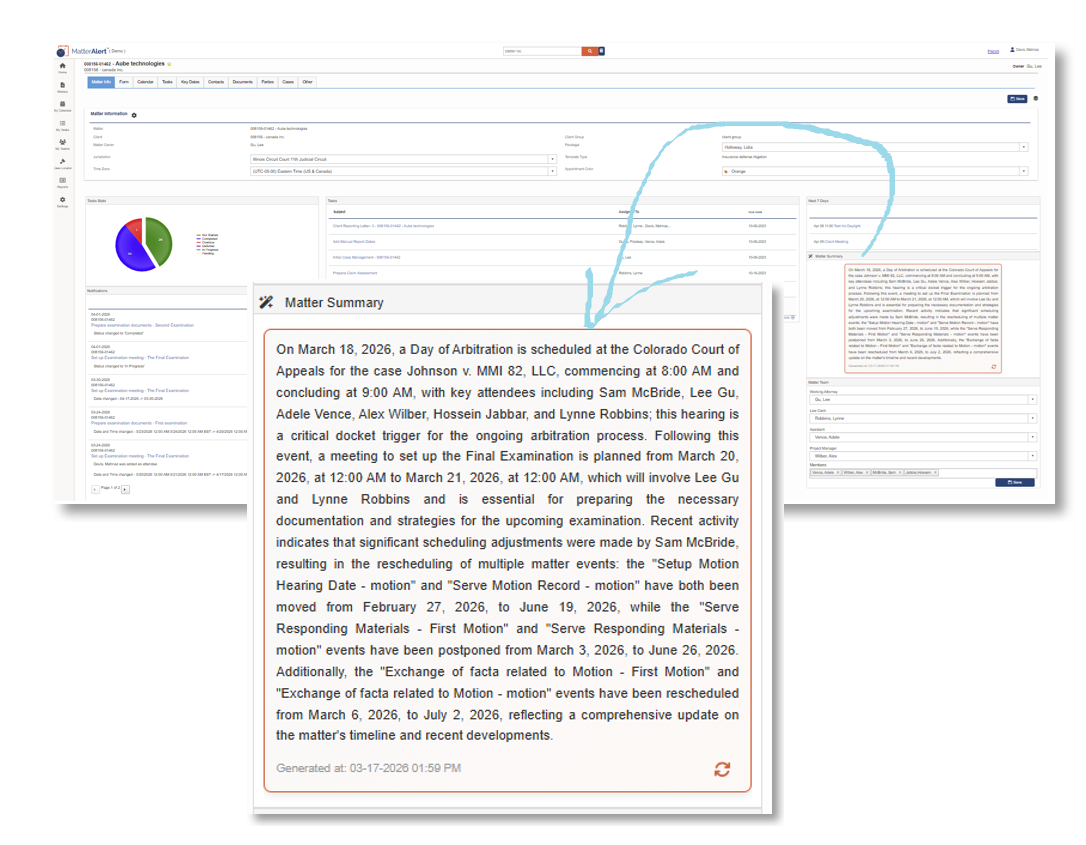
- Matter Summary using AI – Automatically generates a clear, executive-style summary of each matter, consolidating upcoming court dates, deadlines, pending tasks, and recent activity. The summary appears in a convenient panel on the Matter page and is available in English and French-Canadian. Users can refresh the summary at any time to get the latest insights.
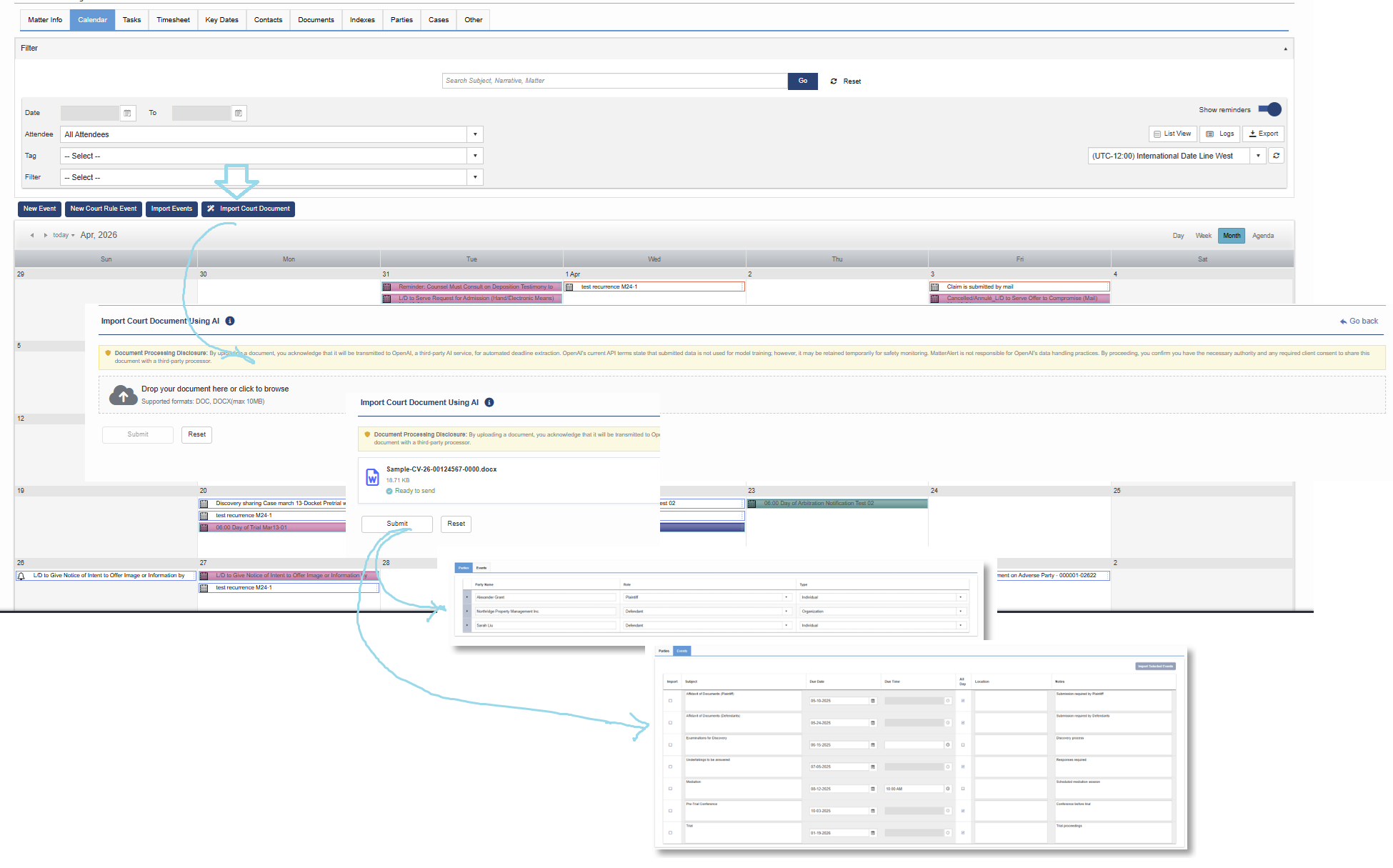
- Court Order Data Extraction using Open AI – Streamlines data entry by extracting parties, attorneys, contacts, and events from uploaded court documents (DOC/DOCX). The extracted information is displayed for review before import, ensuring accuracy while reducing manual effort. This feature works directly from the Matter Calendar, list views, or Cases page.
- Both features leverage advanced AI models to provide actionable insights while respecting privacy and compliance requirements. Access is controlled at the company and user level, ensuring only authorized users can view and interact with AI-powered tools.
Enhanced Color Palette & Outlook Category Sync
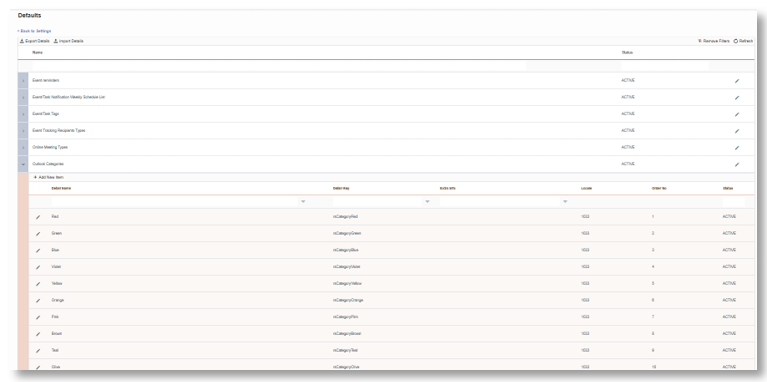
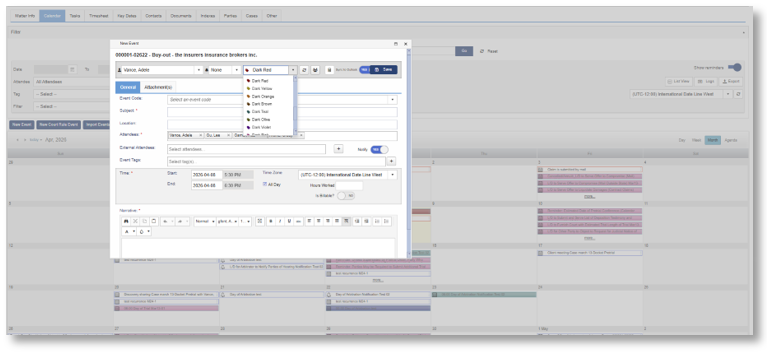
MatterAlert now offers expanded color selection aligned with Outlook categories, providing a more consistent and intuitive visual experience across platforms.
Users can assign familiar Outlook category colors directly within MatterAlert for events and matters, ensuring that color coding remains synchronized between MatterAlert and Outlook. This enhancement improves visibility, organization, and recognition of key items across calendars.
In addition, administrators can define and standardize color categories at the company level, enabling consistent usage across teams while still allowing users flexibility in managing their own views.
Task & Event Management Enhancements
Improvements to task and event functionality to provide greater control, visibility, and tracking across.
- Enhanced Task Management Controls – Users now have access to expanded task actions, including syncing tasks to calendar, adjusting team capacity settings, editing or deleting tasks, and viewing detailed history logs. These enhancements streamline task handling and improve traceability of changes.
- Event Cancellation with Audit Tracking – A new Cancel action allows users to cancel events without deleting them. When an event is canceled, users are prompted to provide a mandatory reason, ensuring proper documentation. The system automatically updates the event by removing Outlook synchronization, marking the subject as canceled, and recording the action in the event history log.
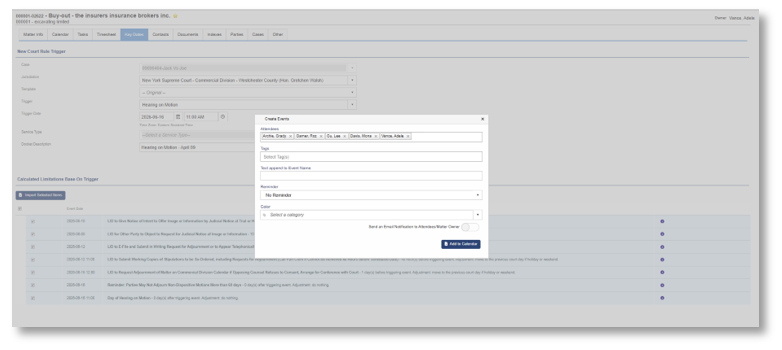
- Optional Notifications for Court Rule Events – When events are generated through court rule docketing, notifications can now be optionally triggered for matter owners and/or attendees based on central configuration. This prevents silent calendar entries and ensures key stakeholders are properly informed when events are created if needed per selection at the time of adding the .
Other Enhancements
- Filter section is now foldable in Task and Calendar screens allowing more real-estate for Tasks and Deadlines
- Consolidated Tab ("Other") for Template driven data
- Ability to Setup Matter Extra information Data-Entry as a new Tab "Form"
- Ability to Expand Dockets and Entries in
- Bug Fixes and minor Enhancements
Was this article helpful?
That’s Great!
Thank you for your feedback
Sorry! We couldn't be helpful
Thank you for your feedback
Feedback sent
We appreciate your effort and will try to fix the article